Crossword Go!
PlaySimple GamesWord
4.93.46K Reviews
- Version
- 1.84.0
- Installs
- 1.00M
- Age Rating
- Everyone
Screenshots
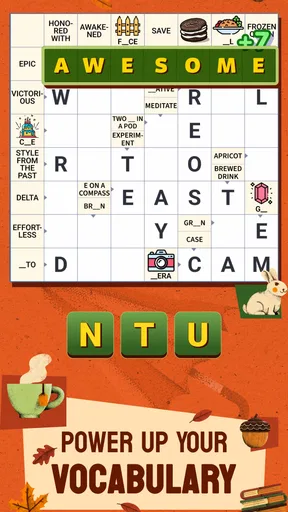
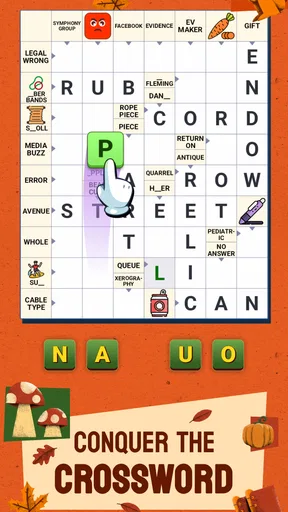
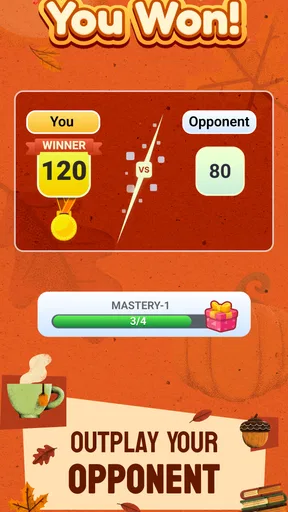
Our Review of Crossword Go!
 Analysis by Appyee
I went into a first session of Crossword Go! expecting a straightforward word game, and that is the right mindset: it is a crossword-focused option for short bursts of clue solving, not a full course in crossword construction or a replacement for every kind of word puzzle. I found it easiest to enjoy when I treated each board as a small challenge rather than something I had to finish quickly. If you like filling in answers, testing possible words against crossing letters, and getting a gentle nudge when you stall, the basic appeal is clear from the start.
What to expect from the game
The game is made by PlaySimple Games and sits in the word-game corner of mobile gaming. It is free to download, with in-app purchases listed from $3.99 to $49.99 per item, so I would begin without spending and see whether the puzzle rhythm suits you. Its average rating is 4.8 from around 17,000 ratings, and it has over 500,000 installs. Those figures suggest that it has found an audience, but they do not tell you whether its clue style will match your own tastes; that is something you can judge only by playing.
The age rating is Everyone, which makes it an approachable pick for a shared device or a family member who enjoys words. I would still think about how optional purchases fit your household before handing over a phone, especially if several people use it. The game is currently at version 1.40.0 and requires Android 8.0 or later. The listed release date is April 16, 2025, so it is a relatively recent arrival compared with long-established crossword apps.
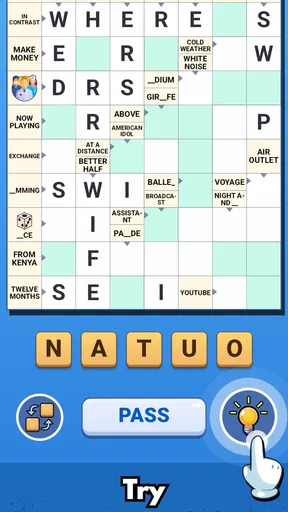
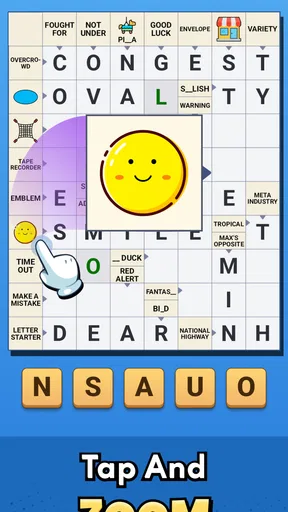
In practical terms, expect a familiar loop: read a clue, try an answer, and use the crossing letters to test whether your guess fits. That process rewards patience more than speed. When I approach a clue that feels vague, I avoid committing to the first plausible word; I fill another answer nearby, then come back with more letters to work from. This is a useful habit in any crossword, and it makes the game feel less like a test of obscure vocabulary and more like a series of solvable little deductions.
Getting started without overthinking it
On your first visit, I would keep the goal modest: open a puzzle, scan the clues, and look for answers you can solve confidently. You do not need to know a special method before starting. A short, familiar answer can provide crossing letters that make a harder clue easier, so beginning with the obvious entries is often more satisfying than staring at the most difficult clue first.
If you are installing it for a child or a less experienced solver, a good first session is one where you let them make guesses and explain how the intersecting letters help. That turns a wrong answer into a useful check rather than a failure. For an adult who already solves crosswords, the same approach can be a warm-up: use easy entries to establish the grid, then decide whether the remaining clues are worth a hint or another minute of thought.
Sleek Design Meets Intuitive Gameplay
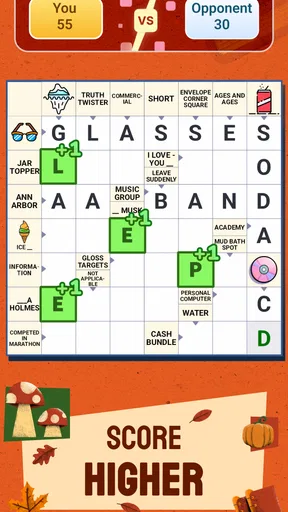
First off, the design of Crossword Go! is super clean and easy on the eyes. Navigating through the app is a breeze, thanks to its intuitive layout. The moment you open it, you’re greeted with a vibrant and welcoming interface that invites you to dive right into the wordplay action.
A Wealth of Puzzles
Now, let’s talk about the puzzles themselves. There is a huge variety of crosswords to choose from, ranging from easy peasy to mind-bogglingly challenging. Whether you’re a casual solver or a crossword veteran, there’s something here for everyone. Plus, new puzzles are added regularly, so you’ll never run out of brain teasers to tackle.
That range is most useful if you share the game with someone whose confidence is different from yours: one person can choose a comfortable challenge while another looks for a tougher one. I would not assume that every clue will be equally suited to every solver, though. Crossword difficulty is personal. A clue that feels obvious to someone familiar with a topic can be a dead end for another player, so variety helps, but it does not remove the occasional moment when a clue simply does not click.
Finding a comfortable solving rhythm
A small practical tip: when you meet a stubborn clue, leave it temporarily instead of repeatedly changing the same answer. Solve a crossing entry, then return and use the new letters as evidence. If two possibilities still seem plausible, check how each affects the neighboring clues before settling on one. That slower approach can save hints and makes a completed answer feel earned.
The built-in option to check your work can also be useful as a checkpoint, but I would use it after making a genuine attempt rather than after every letter. Checking too often can interrupt the satisfying process of figuring out why an answer fits. If you are playing with a beginner, it can be a teaching tool: ask them to predict what the check might reveal, then look at the crossing clues together instead of simply correcting the grid for them.
Fun Features to Enhance Your Experience
One feature I love is the hint system. Stuck on a pesky clue? No worries! You can use hints to nudge you in the right direction without outright spoiling the fun. It’s a perfect balance that keeps the game challenging yet accessible. There’s also a handy option to check your work, which is a lifesaver for those tricky spots.
For me, a hint is best treated as a way to get unstuck, not as the default answer to every uncertain clue. I would first fill any crossings I can solve, then spend a moment reconsidering the wording. Only after that would I reach for help. This order preserves the puzzle-solving part of the game and makes each hint more valuable. If you find yourself needing them constantly, that may be a sign to choose an easier puzzle or take a break rather than push through a frustrating board.
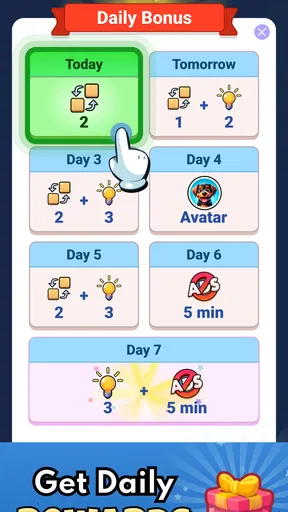
Another cool aspect is the daily challenges. These keep things fresh and provide a nice little incentive to hop on the app every day. Completing these challenges earns you rewards, which you can use to unlock more puzzles or hints.
Making it fit into an ordinary day
A realistic use case is a spare few minutes while waiting for an appointment or taking a quiet break at home. I would start a board only when I have enough attention to read clues, but there is no need to turn every visit into a long session. If I am interrupted, I can simply stop and return when I am ready to think again. That is a better fit than trying to solve while walking, crossing a street, or doing anything that needs my attention elsewhere.
The daily challenge can serve as a light routine if you enjoy having a small reason to open a game regularly. I would keep it flexible, though: a daily prompt should feel like an invitation, not homework. If you miss a day or do not feel like solving, the game is still useful as an occasional puzzle break. Players who dislike streak-like routines or reward loops may prefer to ignore that part and focus on the crosswords themselves.
How it compares with other word-game choices
Compared with a paper crossword, a phone game is easier to carry and can make checking progress less fiddly, but paper may be better if you want a screen-free solve, room to scribble, or the feel of a newspaper puzzle. Compared with word searches or anagrams, Crossword Go! asks you to interpret clues and use intersecting answers, so it suits people who enjoy reasoning through language rather than simply spotting or rearranging letters.
It is also a different fit from a broad collection of mini-games. If you want several puzzle formats in one place, a general word-game bundle may be more appealing. I would choose this game when crosswords are the activity I actually want; its focus is a strength for crossword fans, but it is not a reason to expect a wide mix of unrelated puzzle styles. People who want demanding, carefully themed newspaper-style solving may also prefer a dedicated traditional crossword source, while casual players may appreciate this more approachable mobile format.
Community and Connectivity
What’s even cooler is that Crossword Go! lets you connect with friends. You can challenge them to solve the same puzzles and see who comes out on top. It adds a fun, competitive edge to the whole experience. Plus, there’s a leaderboard where you can see how you stack up against other word wizards out there.
I would use the friend challenge as a way to share a puzzle, not as a measure of who is the better word solver. People bring different vocabulary and outside knowledge to a clue, and solving speed does not always reflect careful reasoning. A friendly comparison can make a quiet game more social; if rankings make you rush or feel behind, there is no need to make the leaderboard your main reason for playing.
Who is likely to enjoy it—and who may not
I would recommend giving it a try if you like clues, want an accessible crossword routine, or are looking for a low-pressure way to occupy a short break. It can also work well for two friends who enjoy comparing approaches, or for a parent and child who want to talk through words together. The age rating is Everyone, but the best experience still depends on the player’s reading level and comfort with clues.
I would skip it if you mainly want a word search, a competitive action game, or a screen-free puzzle. It may also disappoint solvers who expect every clue to have the precision or editorial style of a particular newspaper crossword. And if in-app purchases are a concern, remember that the game is free to start but includes paid items; I would decide on a spending boundary before browsing purchase options, rather than letting a moment of frustration make that decision for you.
The Verdict
All in all, Crossword Go! is a fantastic app for anyone who loves a good word puzzle. It’s got an impressive range of puzzles, a user-friendly interface, and fun features that keep you coming back for more. Whether you’re looking to kill some time on your commute or wind down after a long day, this app is a must-have.
My more measured take is that it is most appealing when you want accessible crossword solving with optional help and a little social motivation. The hints and checking option can lower the barrier for a new solver, while the challenge and leaderboard features add reasons to return for players who enjoy sharing progress. The trade-off is that assistance and competition can change the pace: use them lightly if the pleasure for you is working a clue out independently.
Ready to test your word skills? You can download Crossword Go! from the app store and start solving today. Trust me, you won’t be disappointed!
Privacy and Permissions
See what permissions an app requests and how it handles your data.
- Wi-Fi connection information
- view Wi-Fi connections
- Other
- view network connections, full network access, run at startup, control vibration, prevent device from sleeping, set an alarm, Google Play license check, read Google service configuration
Verdict
Strengths of Crossword Go!
- Intuitive user interface for easy navigation.
- Wide variety of crossword puzzles available.
- Regular updates with new challenges.
- Offline mode for puzzles on the go.
- Hints available for tricky clues.
Limitations of Crossword Go!
- Contains ads that can be distracting.
- Limited free puzzles without subscription.
- Occasional app crashes reported.
- In-app purchases can be pricey.
- No multiplayer mode available.
Other Releases by PlaySimple Games
View All


Similar Picks in This Category
View All
Word Search - Word Puzzle Game
Bluetile4.8

Word Search Quest - Puzzles
Blackout Lab4.8

CodyCross: Crossword Puzzles
Fanatee, Inc.4.7

Words of Wonders: Crossword
Fugo Games4.9

Wordscapes: Word puzzle game
PeopleFun4.7

Word Search Explorer
PlaySimple Games4.9
Frequently Asked Questions
What is Crossword Go! and how does it work?
Crossword Go! is a mobile app designed for crossword puzzle enthusiasts. It offers a wide range of puzzles, from beginner to expert levels. Users can select puzzles based on difficulty, theme, or popularity. The app provides hints and allows users to track their progress, making it both challenging and educational.
Is Crossword Go! free to download and play?
Crossword Go! is free to download and offers a selection of free puzzles to play. However, it also includes in-app purchases for additional puzzles, ad-free experiences, and premium features. Users can choose to purchase these extras to enhance their gameplay, though they are not necessary for enjoying the core experience.
Does Crossword Go! require an internet connection?
Crossword Go! can be played offline, which is perfect for users who want to enjoy puzzles without an internet connection. However, certain features, such as downloading new puzzles and social sharing options, require an internet connection. Regular updates also need connectivity to ensure the latest content is available.
What are the main features of Crossword Go!?
Crossword Go! offers a variety of features such as daily puzzles, a wide range of difficulty levels, themes, and personalized stats tracking. The app also includes a hint system to assist players when they get stuck. Users can compete with friends and participate in global leaderboards for a more competitive edge.
Is Crossword Go! suitable for all ages?
Yes, Crossword Go! is designed to be family-friendly and suitable for all ages. The app offers puzzles that cater to different skill levels, ensuring that both children and adults can enjoy the game. The interface is user-friendly, and the content is appropriate for a broad audience, making it an excellent educational tool.
Play our best games!


